 Kernline
How to copy Tailwind classes from any website
Kernline maps computed styles on the page you already have open to Tailwind v3 or v4 utilities. You do not need the source site to use Tailwind.
- Install Kernline from the Chrome Web Store.
- Open the page you want to learn from in Chrome. Click the Kernline icon, press Alt+Shift+K, or right-click and choose Inspect with Kernline.
- Hover and pin the element. The inspector shows size, type, colour, and spacing while you move the pointer. Click once to pin.
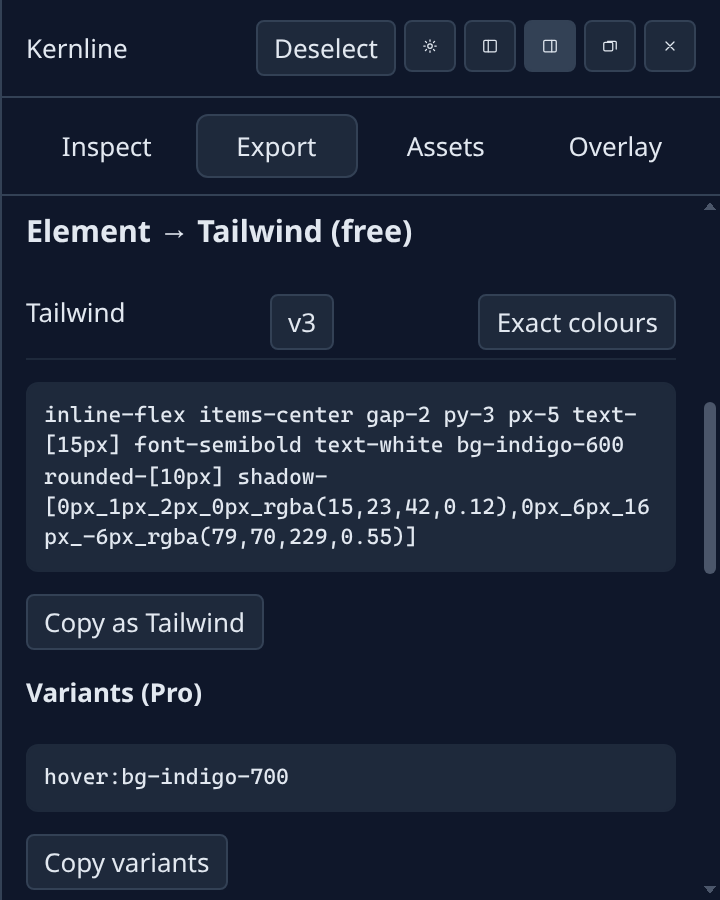
- Open the Export tab. Pick Tailwind v3 or v4, then Copy as Tailwind. Classes land on your clipboard.
- Paste into your project or an AI chat. On Free, export one element at a time. Pro adds hover, focus, and responsive variants, plus a full-page token scan.
If styles live on another domain, Kernline asks before fetching that host. Revoke access any time in extension settings. See permissions and the Tailwind guide for more detail.